FNSKU Code Amazon: FBA Barcode & Labeling Rules
Every unit you send to an Amazon fulfillment center needs a scannable barcode so Amazon can track, store, and ship your inventory. For most FBA sellers, that barcode is the FNSKU. If you don't know what an FNSKU is, how to generate it, or where it goes on your products, you're going to run into receiving delays, mis-scans, and inventory mix-ups that cost real money.
This guide covers the full FNSKU process, including the 2026 policy changes that now affect every Amazon seller.
What Is an FNSKU Code? Amazon FBA Barcode Basics
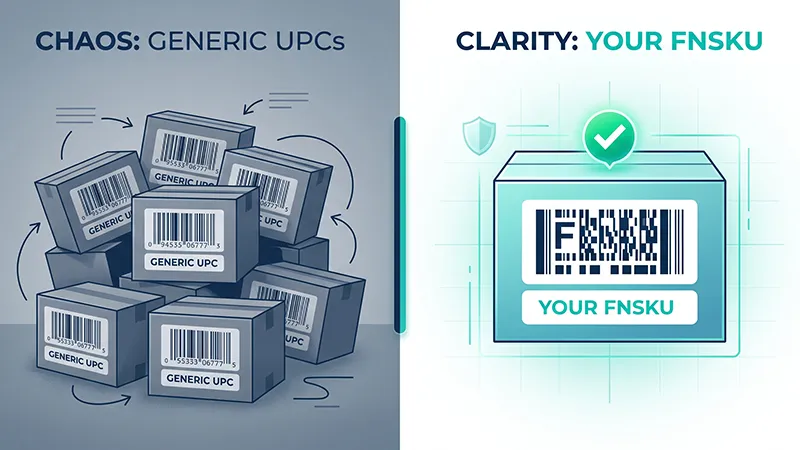
An FNSKU (Fulfillment Network Stock Keeping Unit) is a barcode that Amazon assigns to each product-SKU combination in your seller account. Unlike a UPC, which identifies a product at a generic level, an FNSKU ties a specific unit to your seller inventory. No other seller shares your FNSKU for the same ASIN.
An FNSKU label contains several elements:
- Barcode: The scannable Code 128A barcode itself
- ASIN: The Amazon Standard Identification Number for the listing
- Product title: A truncated version of your listing title
- Condition: New, Used-Like New, etc.
When Amazon receives your shipment at a fulfillment center, workers scan the FNSKU barcode on each unit to associate it with your inventory. This is how Amazon knows which units belong to which seller, especially when multiple sellers offer the same product.
If you ship products through Amazon FBA freight forwarding services from China, get your FNSKU labels sorted before cargo leaves the factory. It saves a lot of headaches later.
FNSKU vs ASIN vs UPC: What's the Difference?
Amazon uses several identifier codes, and they serve different purposes. Here is how the main four compare:
| Code | What It Identifies | Who Creates It | Where It's Used | Seller-Specific? |
|---|---|---|---|---|
| FNSKU | Your specific FBA inventory unit | Amazon assigns it | FBA fulfillment centers only | Yes |
| ASIN | An Amazon product listing | Amazon assigns it | Amazon catalog and storefront | No |
| UPC | A retail product globally | GS1 (you purchase it) | All retail channels | No |
| SKU | Your internal product reference | You create it | Your seller account and systems | Yes |
The key distinction: ASIN and UPC identify a product listing. FNSKU identifies your specific inventory within that listing. Two sellers can share the same ASIN and UPC, but each will have a different FNSKU.
Most private-label sellers need FNSKU labels. The only exception is if you are both the brand owner and hold the Brand Representative role in Amazon Brand Registry — simply being enrolled as a reseller or authorized agent does not qualify for the manufacturer barcode exemption. If you meet both criteria, you may use manufacturer barcodes (UPC/EAN) instead of FNSKU stickers under the updated 2026 policy. If your account only shows "Enrolled" status without the Brand Representative role, you still need FNSKU labels. Always check your barcode preference settings in Seller Central before each shipment.
The 2026 FNSKU Changes Every Seller Needs to Know
Two policy shifts in 2026 changed how FBA sellers handle barcode labeling.
January 2026: Amazon ended its prep and labeling service for US FBA shipments. Previously, sellers could pay Amazon around $0.30 per unit to label products on their behalf. That option is no longer available for the US marketplace. If you relied on Amazon to apply FNSKU labels at the fulfillment center, you now need an alternative: label at the factory, use a prep center, or work with your freight forwarder to get labels applied before cargo ships.
March 31, 2026: Commingling and stickerless inventory practices ended. Under the old system, sellers who opted into stickerless commingling could ship products with only the manufacturer barcode (UPC/EAN) visible. Amazon would pool all units of the same ASIN, regardless of seller. That system is now retired. Every FBA seller must use Amazon barcodes (FNSKU) or be a verified brand owner using manufacturer barcodes through the updated eligibility criteria.
For detailed requirements, check Amazon's FBA barcode help page for the latest updates.
How to Get Your FNSKU Code from Amazon Seller Central
Getting your FNSKU from Seller Central is not complicated, but the steps matter. Here is the process:
- Log in to Seller Central and navigate to Manage Inventory under the Inventory tab.
- Locate your product in the inventory list. If you have many listings, use the search bar or filter by SKU.
- Ensure the FNSKU column is visible. Click the gear icon (Preferences) above the inventory table and enable the FNSKU column if it does not already appear.
- Check the FNSKU value. It displays as an alphanumeric code starting with "X00" followed by a series of characters (for example, X001ABC123). If the field is blank or shows "Does not apply," the listing may not be eligible for FBA, or the barcode preference may be set to manufacturer barcode.
- Print labels. Check the box next to your product, click "Print Labels" from the action bar, select the number of labels per item, choose your label template size, and download the PDF. Print on a thermal label printer at 100% scale.
- Verify your barcode preference. Go to Settings, then Fulfillment by Amazon, then Barcode Preference. If set to "Manufacturer Barcode," Amazon will not generate an FNSKU. Switch to "Amazon Barcode" to get FNSKU labels generated for your listings.
FNSKU Labeling Methods: Stickerless Commingling vs Stickered
Before commingling ended in March 2026, Amazon offered two labeling approaches:
Stickerless Commingling (now retired): Sellers shipped products with only the manufacturer UPC barcode visible. Amazon pooled inventory from all sellers of the same ASIN. When a customer ordered the product, Amazon pulled any unit from that pool, regardless of which seller owned it. The risk: another seller's counterfeit or poor-quality unit could be shipped under your listing, leading to negative reviews and potential account suspension.
Stickered Inventory (now the standard): Each unit carries an FNSKU label that Amazon scans at receiving. Your inventory stays separate from other sellers' stock. If a customer complains about a defective unit, Amazon can trace it back to the specific seller. This protects your account health and makes reimbursement claims clearer.
Where to Place FNSKU Labels on Your Products
Label placement causes more receiving delays than almost anything else. Here are the rules:
Do:
- Place the label on a flat, smooth surface
- Position it so the barcode is scannable without rotating or tilting the product
- Apply the label on the outermost layer (after any polybagging or shrink wrap)
- Cover any existing UPC or EAN barcode completely to prevent mis-scans
- Press firmly to remove air bubbles and wrinkles
Don't:
- Wrap the label around a corner, seam, or curved surface
- Place it near an edge that might get crushed during handling
- Put tape over the barcode (glare from tape makes scanning unreliable)
- Position it on a glossy surface where light reflection obscures the barcode
- Leave competing barcodes (UPC, EAN, ISBN) visible alongside the FNSKU
For more on carton-level labeling, check our guide to Amazon FBA box labels requirements.
FNSKU Label Size and Print Quality Standards
Amazon provides downloadable label templates in Seller Central. The standard size range for FNSKU labels is between 1 inch x 2 inches and 2 inches x 3 inches, depending on which template you select. Some sellers use a 1 1/3 inch x 4 inch format, which fits well on many product packages.
Print specifications:
- Barcode format: Code 128A
- Print resolution: minimum 300 DPI
- Color: black bars on a white background
- Print at 100% scale. Never use "fit to page" or "shrink to fit" settings, as this distorts the barcode and causes scan failures
- Leave sufficient white space (quiet zone) around all sides of the barcode
Before shipping, scan-test a sample. Use a barcode scanner app or the scanner at your factory or prep center to verify every label reads correctly. Catching a bad batch before it ships from China is far cheaper than dealing with corrective shipments from a US fulfillment center.
Common FNSKU Labeling Mistakes That Cause Receiving Delays
Based on Amazon's inbound defect reports, these are the most frequent labeling problems:
- Smudged or faded barcodes from low ink, wrong printer settings, or paper labels that smear when handled
- Labels placed on curves or corners, which distorts the barcode lines and makes the barcode unreadable
- Leaving existing UPC barcodes visible alongside the FNSKU, so Amazon's scanner reads the wrong one
- Using outdated FNSKU codes after relisting a product, changing its condition, or merging listings
- Scaling errors during printing, where even a small percentage of shrink makes the barcode unreadable
How Freight Forwarders Handle FNSKU Labeling for International Shipments
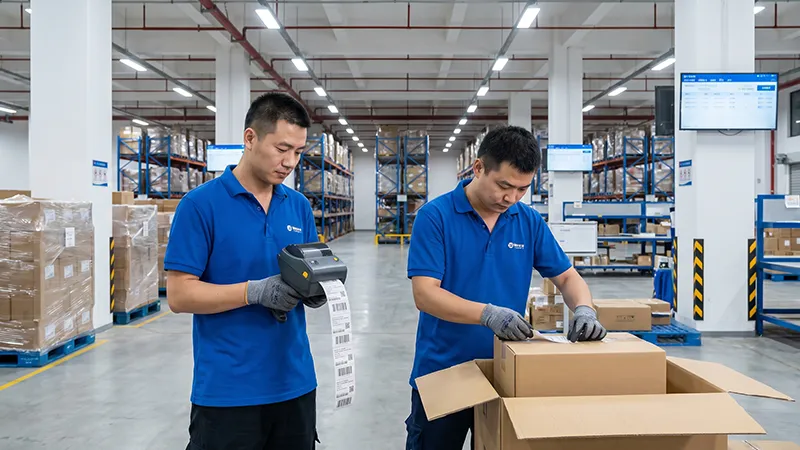
When you source products in China and ship them to US FBA warehouses, labeling happens thousands of miles from the fulfillment center. Getting FNSKU labels applied correctly before cargo departs saves a lot of money compared to fixing problems after arrival.
There are three main labeling workflows for China-to-US FBA shipments. The table below compares them so you can pick the right approach for your business:
| Workflow | How It Works | Cost Level | Best For |
|---|---|---|---|
| Factory Labeling | Send FNSKU label files to your supplier. The factory prints and applies labels during production or packaging. Requires a SKU-to-label mapping spreadsheet and a photo QC step before goods leave the factory. | Lowest — no third-party fees | Sellers with reliable suppliers who can follow labeling specs and send QC photos |
| Prep Center Labeling | Goods ship from the factory to a third-party FBA prep service in China. Staff apply FNSKU labels and handle polybagging, bundling, and palletization. | Medium — per-unit prep fee | Sellers with multiple SKUs or complex FBA prep requirements who want dedicated QC |
| Freight Forwarder Labeling | The forwarder applies FNSKU labels at their warehouse during consolidation and container loading. Often combined with inspection and repackaging services. | Medium — bundled with freight cost | Sellers who want labeling, inspection, and shipping handled by one provider |
What to send your freight forwarder for labeling:
- FNSKU label PDF files downloaded from Seller Central
- SKU-to-FNSKU mapping spreadsheet (so staff match the right label to the right product)
- Product photos showing correct label placement on each item
- Packaging specifications (box dimensions, inner pack quantities)
Pre-shipment QC checklist for FNSKU accuracy:
- Verify the FNSKU code matches the active listing in Seller Central
- Confirm the barcode scans correctly with a physical scanner
- Check label placement against Amazon's requirements (flat surface, no competing barcodes)
- Photo-document a sample from each batch for your records
- Count labels applied against quantities in the shipping plan
For a full overview of the FBA shipping process from China, read our Amazon FBA freight forwarder guide.
Need FNSKU labeling as part of your China FBA shipment? Get a free quote from Zbao Logistics — we handle labeling, inspection, and door-to-door FBA delivery from factory to fulfillment center.
Frequently Asked Questions
What is the difference between FNSKU and SKU?
An SKU (Stock Keeping Unit) is an internal product code you create for your own inventory management. An FNSKU is a barcode Amazon generates specifically for tracking your FBA inventory. Your SKU exists only in your systems and Seller Central, while the FNSKU is printed on the physical product and scanned at Amazon fulfillment centers.
Do I need FNSKU labels for every FBA product?
Nearly all FBA products require FNSKU labels or manufacturer barcodes that meet Amazon's current eligibility criteria. The exception is eligible brand owners who hold the Brand Representative role in Amazon Brand Registry — they can use manufacturer barcodes (UPC/EAN) without FNSKU stickers under the updated 2026 policy. If your account only shows "Enrolled" status without the Brand Representative role, you still need FNSKU labels. If you are unsure, check your barcode preference settings in Seller Central and verify what Amazon requires for each listing.
Can I use UPC instead of FNSKU for FBA shipments?
Only if you are an eligible brand owner and your barcode preference is set to manufacturer barcode. For most sellers, especially private-label sellers without active Brand Registry enrollment, the FNSKU is required. Using a UPC without proper eligibility can result in your shipment being refused at the fulfillment center or your units being marked as unlabeled inventory.
What happens if my FNSKU label doesn't scan at the fulfillment center?
Amazon will flag the unit as a labeling defect. Depending on the scale of the problem, Amazon may correct the labels and charge you a per-unit fee, or they may ship the inventory back to you at your expense. Repeated labeling defects can also result in inbound shipment suspensions on your account. This is why scan-testing before shipping is critical.
Can a freight forwarder print and apply FNSKU labels for me?
Many freight forwarders that specialize in Amazon FBA shipments offer labeling services. They will apply FNSKU labels at their warehouse before container loading, often combined with inspection and repackaging services. If you work with a forwarder, send them the FNSKU label files and a mapping spreadsheet so they match labels to the correct products.
Does the 2026 labeling change apply to Amazon marketplaces outside the US?
The January 2026 change (ending Amazon's prep and labeling service) was announced specifically for US FBA shipments. Other marketplaces may have different timelines or may still offer labeling services. Check your Seller Central for each marketplace to confirm current requirements. The March 2026 commingling change also varies by region, so verify the barcode policy for each marketplace where you sell.
If you need help with FNSKU labeling or shipping products from China to Amazon FBA warehouses, get a free quote and our team will walk you through the logistics.


